Custom context refers to your team’s coding standards that Greptile checks during reviews. Rules like “use async/await instead of promises” or “API endpoints must validate input.” When code doesn’t follow a pattern, Greptile comments on the PR. With MCP, you can view, search, and create patterns from your IDE.Documentation Index
Fetch the complete documentation index at: https://www.greptile.com/docs/llms.txt
Use this file to discover all available pages before exploring further.
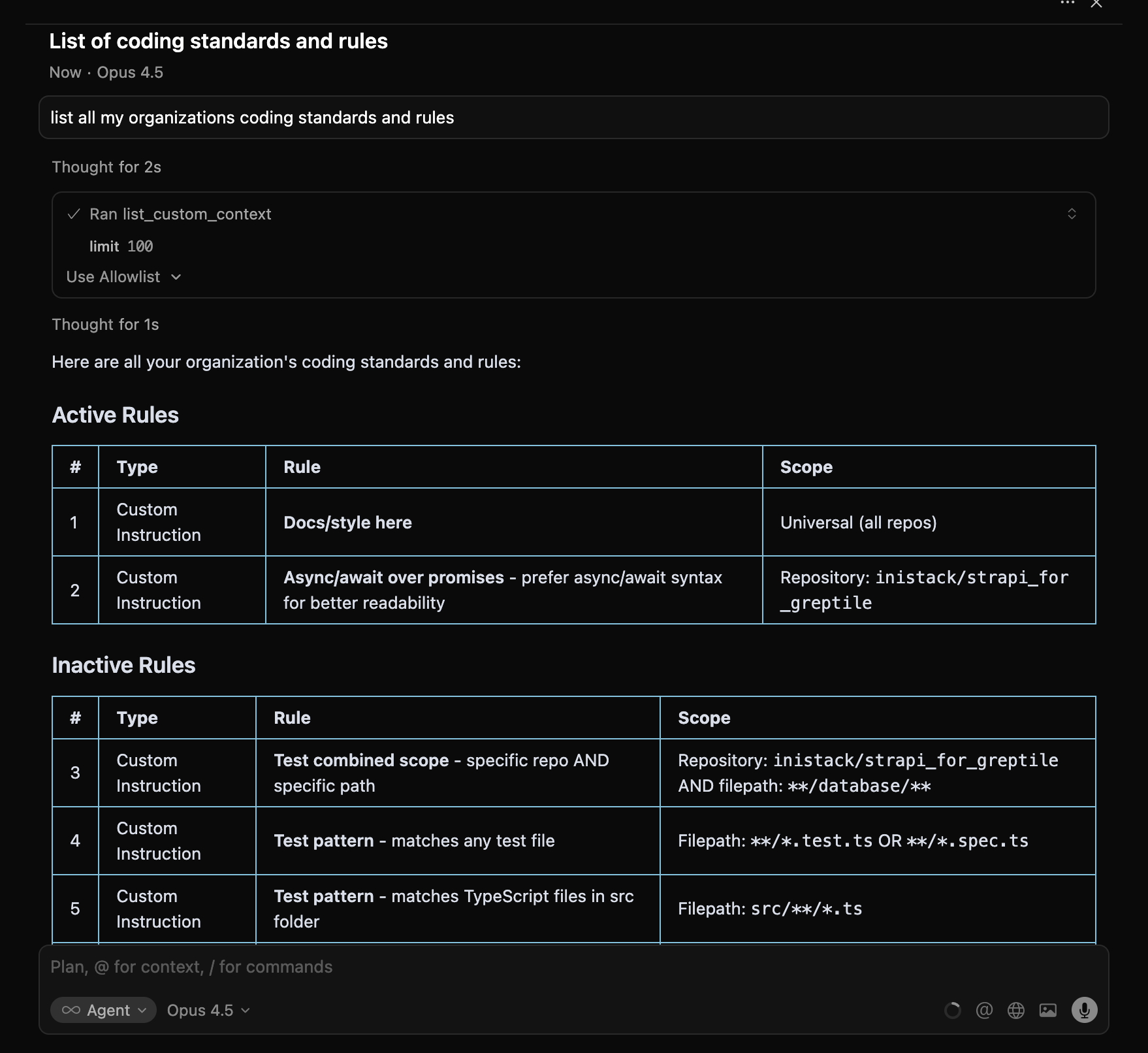
View Your Patterns
list_custom_context
Search Patterns
search_custom_context
Get Pattern Details
get_custom_context
Returns the full pattern including linkedComments—PRs where this pattern triggered feedback.
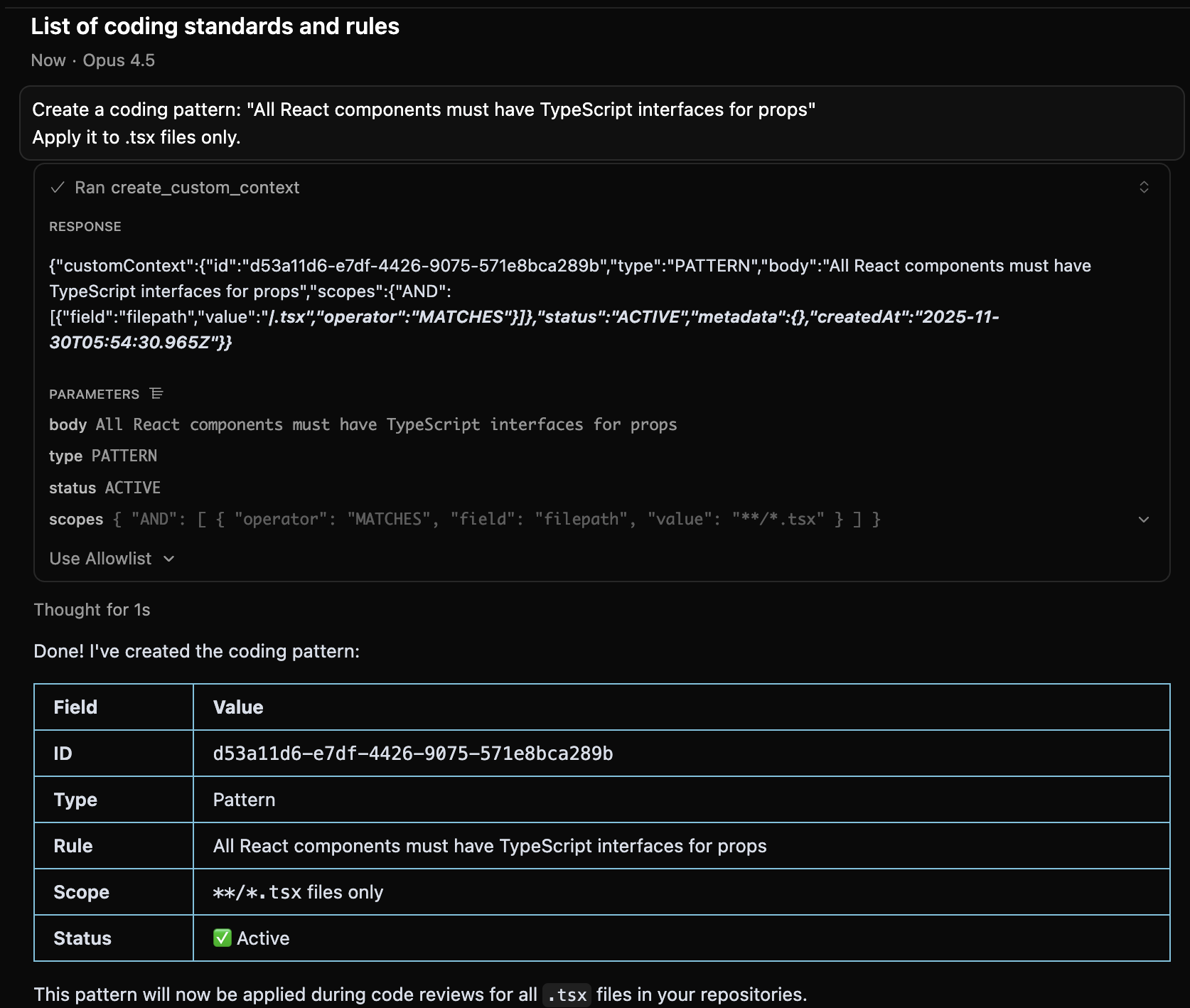
Create a Pattern
create_custom_context
Scope Examples
| You Say | Pattern Applies To |
|---|---|
| ”Apply everywhere” | All files in all repos |
| ”Apply to TypeScript files” | **/*.ts |
| ”Apply to the api folder” | **/api/** |
| ”Apply to owner/repo only” | That specific repository |
Disable a Pattern
There’s no delete. Set status to inactive:Workflow: Turn Recurring Feedback Into a Pattern
When you notice Greptile making the same comment repeatedly:Field Reference
| Field | Description |
|---|---|
body | The rule text |
type | CUSTOM_INSTRUCTION (explicit rule) or PATTERN (code pattern) |
status | ACTIVE, INACTIVE, or SUGGESTED |
scopes | Where it applies (see tools reference for format) |
commentsCount | Times this pattern triggered a comment |
linkedComments | PRs where this pattern was applied |
Next Steps
Auto-Fix Workflow
Fix comments triggered by your patterns
Tools Reference
Full parameter documentation