
Deployment Guides
Docker Compose
Single VM, up to 100 developers
Kubernetes
Clustered, 100+ developers
Docker Compose Architecture
All services run as containers on a single Linux host, orchestrated by Docker Compose.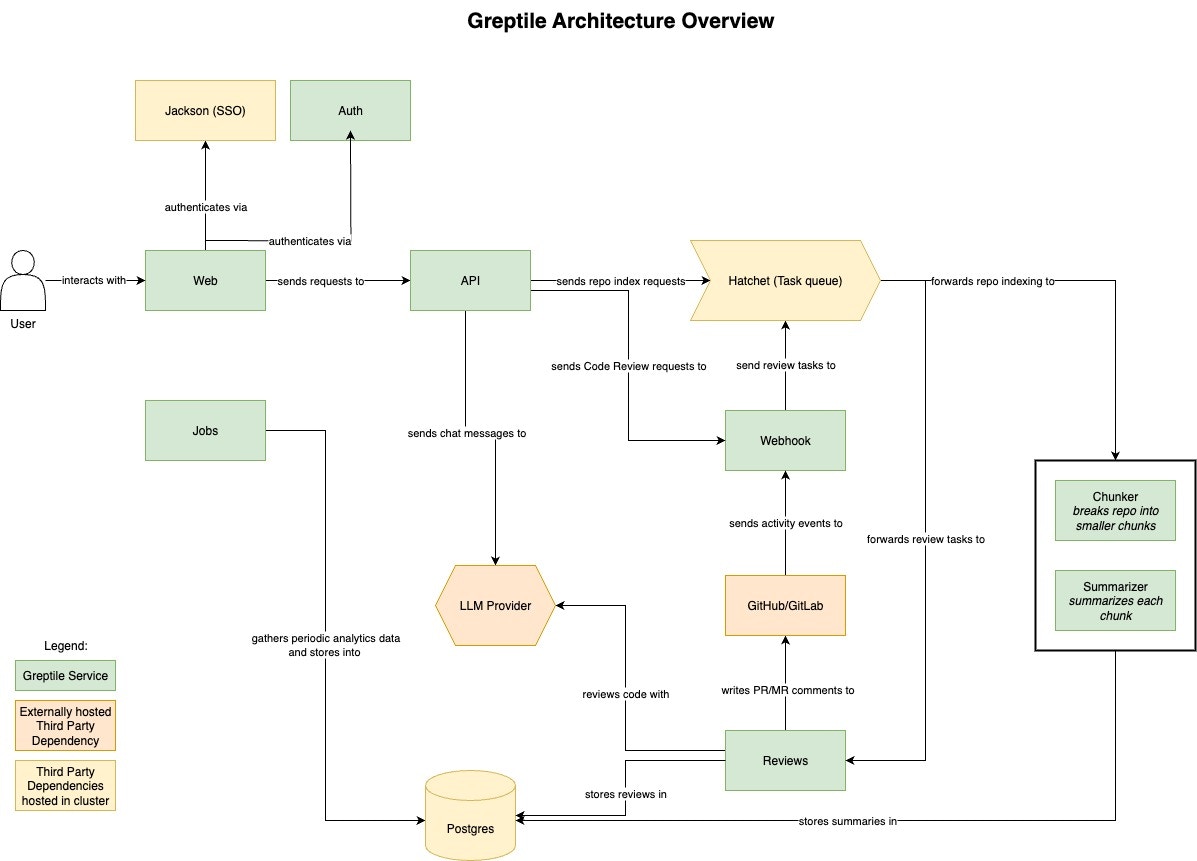
Core Services
Background Workers
Infrastructure Services
Data Flow
- Webhook received →
greptile-webhookvalidates and queues the event - Hatchet picks up the job and dispatches to appropriate worker
- Workers (
chunker,summarizer,reviews) process viallmproxy - Results stored in PostgreSQL, response posted back to SCM
Network Requirements
Must expose:- Port
3007for SCM webhooks (or route through Caddy on 443) - Port
3000for web UI access - Port
8080for Hatchet admin (optional, can restrict to internal)
- LLM provider APIs (OpenAI, Anthropic, Bedrock, etc.)
- SCM provider APIs (GitHub, GitLab, etc.)
- Container registry for image pulls
Storage
PostgreSQL stores all application data including:- Repository metadata and summaries
- Code embeddings (via pgvector)
- Review history and analytics
- User accounts and settings
Kubernetes Architecture
Services deployed as pods across a Kubernetes cluster, managed by Helm charts. External PostgreSQL and Redis recommended for production.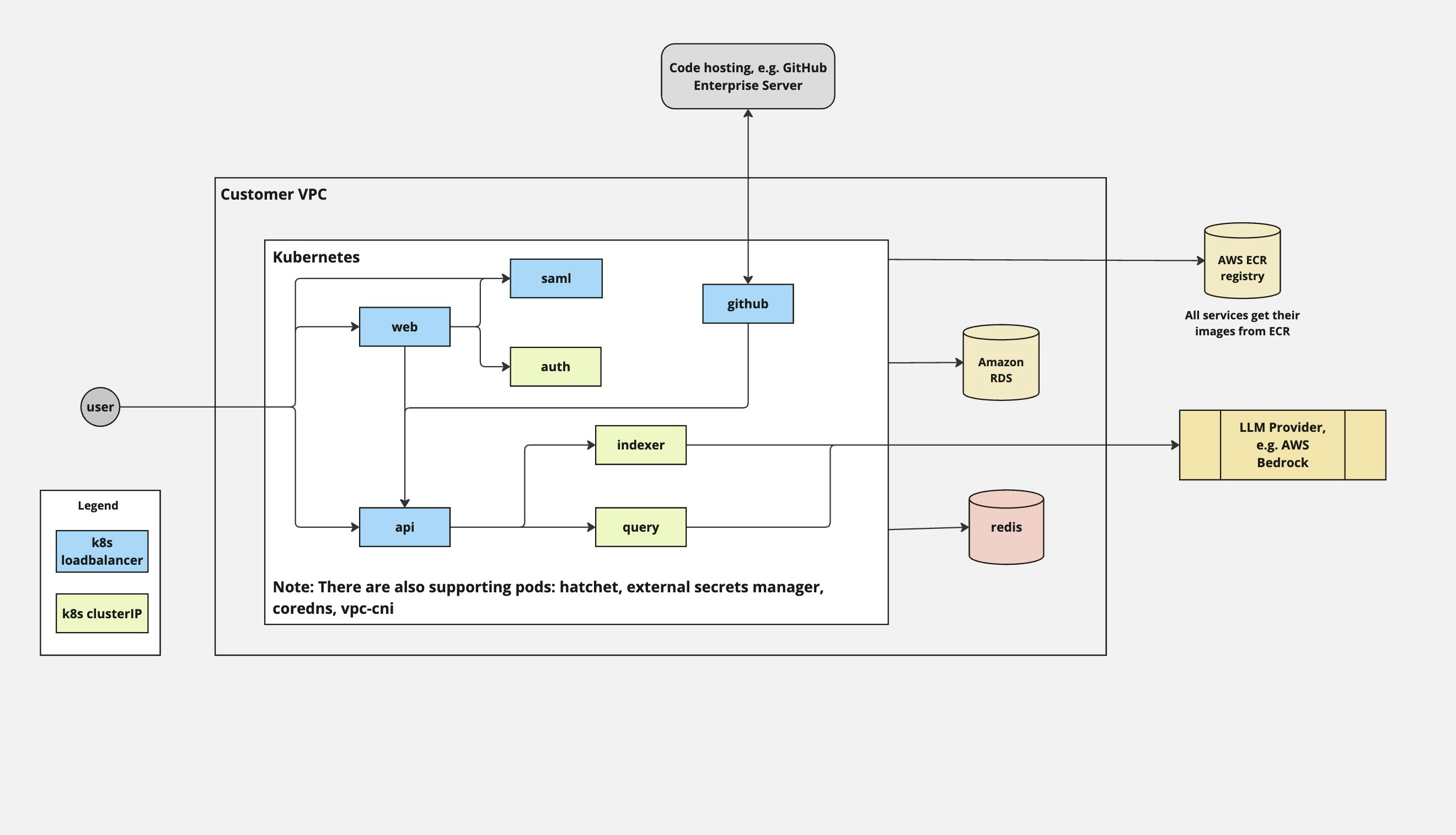
Pod Deployments
Same services as Docker Compose, deployed as separate Kubernetes Deployments:External Services
Unlike Docker Compose, Kubernetes deployments typically use managed services:Networking
Ingress: LoadBalancer or Ingress controller exposes web and webhook services. Service mesh: Optional. mTLS between services if using Istio/Linkerd. Egress: NAT gateway for outbound traffic to LLM/SCM providers.Scaling Considerations
- API and Webhook scale with traffic volume
- Chunker scales with new repository indexing load
- Summarizer and Reviews scale with LLM throughput requirements
- Use HPA (Horizontal Pod Autoscaler) for dynamic scaling based on CPU/memory
Security Model
Authentication
Secrets Management
Docker Compose: Environment variables in.env file. For production, use a secrets manager and inject at runtime.
Kubernetes: External Secrets Operator syncing from AWS Secrets Manager, Vault, or similar.
Network Security
- Deploy in private subnet, expose only webhook port externally
- Database and Redis should not have public IPs
- Use security groups/firewall rules to restrict access
- All external traffic over TLS
Monitoring
Key Metrics
Recommended Stack
- Logs: CloudWatch, ELK, or Loki
- Metrics: Prometheus + Grafana, or CloudWatch
- Alerting: PagerDuty, Opsgenie, or native cloud alerting