
Install
- Homebrew
- npm
- Install script
greptile update. For Homebrew, run brew upgrade greptile.
Sign in
Sign in once on each device:greptile logout to remove stored credentials. See CLI Reviews on Self-Hosted Greptile to connect the CLI to a self-hosted deployment.
Review a branch
Run a review from the repository root:@greptile <instructions> comment on a pull request.
Resume the latest unfinished review for the repository:
Include a sensitive file
The CLI holds back changed files that look like they contain secrets. Use--include only after you confirm the file is safe to send:
--include skip the sensitive-file check.
Change the output
Show findings beside the changed code:--diff is shorthand for --layout diff. The default layout is comments.
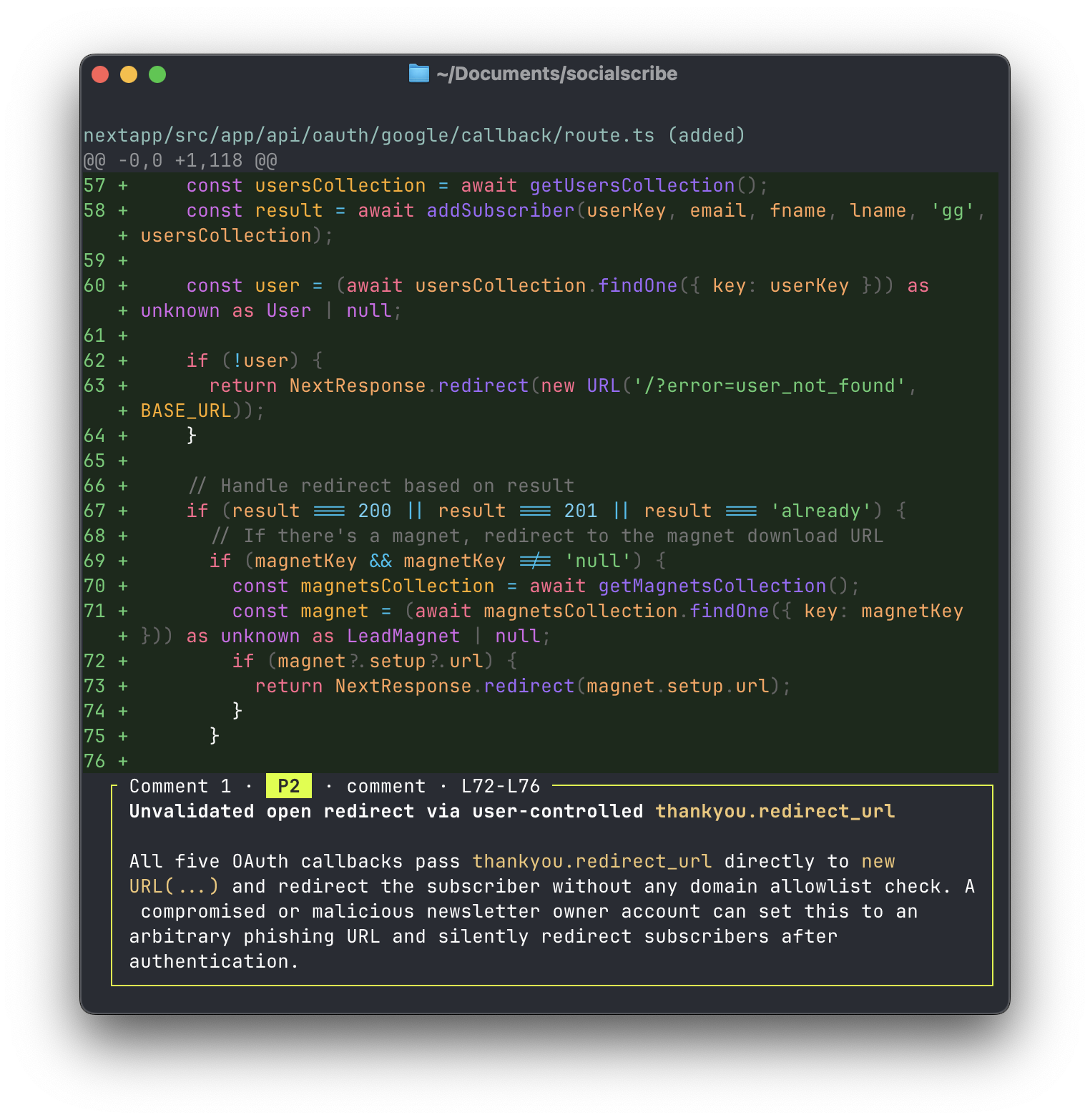
--agent is an alias for --text. Plain text is also the default when output is piped.
Reopen a review
Open the recent review picker:--json, --text, or --agent, omitting the ID prints recent reviews instead of opening the picker.
review show accepts the same output, layout, context, width, and color flags as review.
Check review status
Check the latest review forHEAD:
--json for machine-readable output.
This command works in hooks and scripts. It uses these exit codes:
Inspect the effective review config
Show the review config that applies at the repository root:.greptile/ files, dashboard settings, and organization rules. Add --json for machine-readable output. See .greptile/ Configuration for the config format.
Save CLI settings
Rungreptile settings in a terminal to open the interactive settings hub. It manages local CLI defaults, repositories, review settings, and team members.
Use subcommands in scripts:
--json to settings, settings list, or settings get for machine-readable output.
A command-line flag overrides the saved setting for that run.
Command reference
Run
greptile <command> --help for command-specific help.
Review options
Fix commands
Next
CLI Onboarding
Set up an organization and run your first review.
MCP
Use Greptile review data from your editor or coding agent.