> ## Documentation Index
> Fetch the complete documentation index at: https://www.greptile.com/docs/llms.txt
> Use this file to discover all available pages before exploring further.
# Cross Repo Context
> Create Repo Clusters so Greptile can read related repositories as context during reviews.
Repo Clusters let you group related repositories so that whenever Greptile reviews a PR in one of them, it automatically reads the others as read-only context.
It's the dashboard equivalent of the `context.repos` field in [greptile.json](/code-review/greptile-json-reference#cross-repository-context), but instead of pointing one repo at others, you define a group once and every member shares context with every other member.
Clusters are useful when a set of repos are tightly coupled, for example a service, its SDK, and its shared types, where a change in one often can't be reviewed well without the others.
### Creating a cluster
On the [Greptile dashboard](https://app.greptile.com), go to **Custom Context → Repo Clusters**. Managing clusters requires admin access.
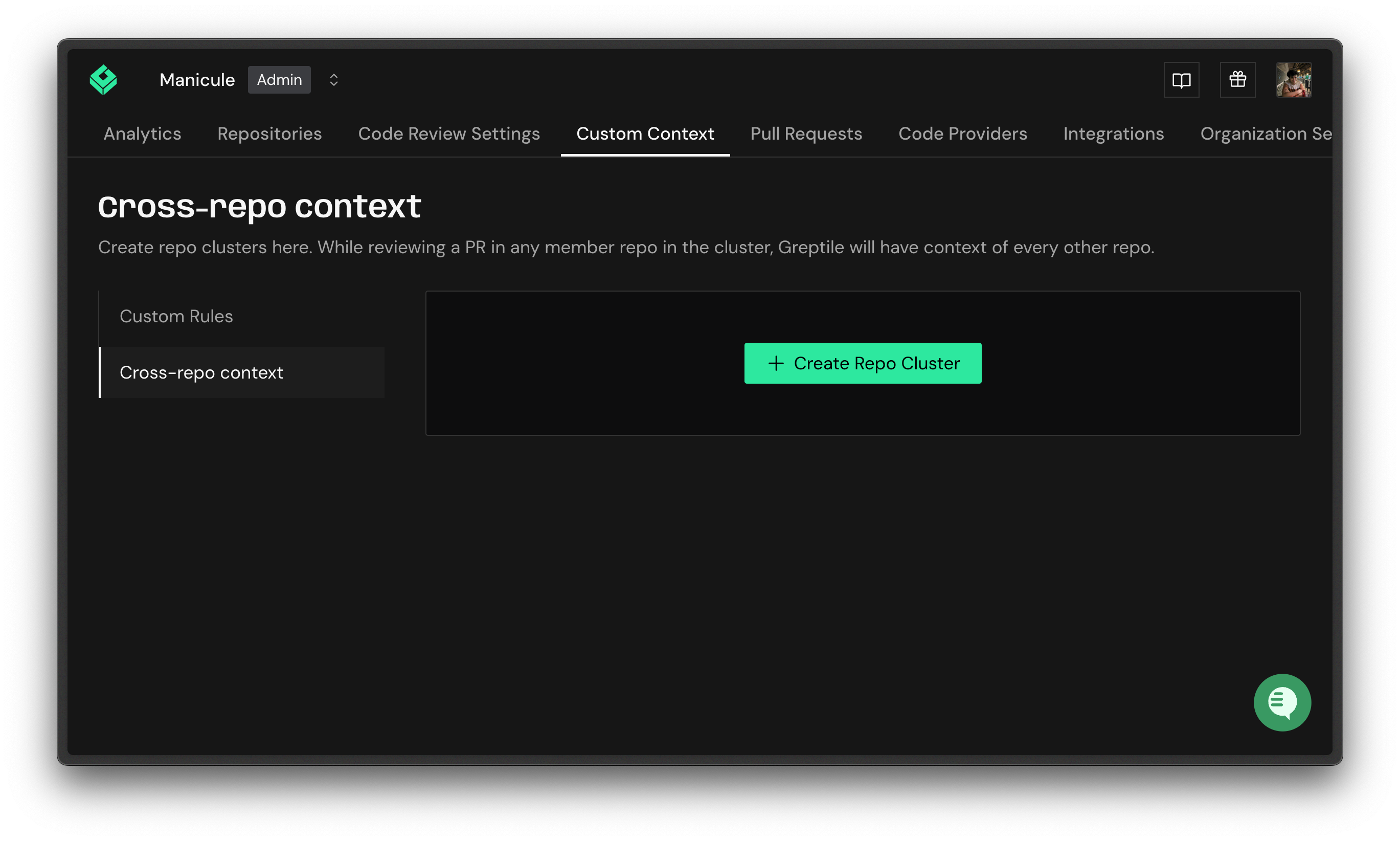 Click **Add a repository cluster**.
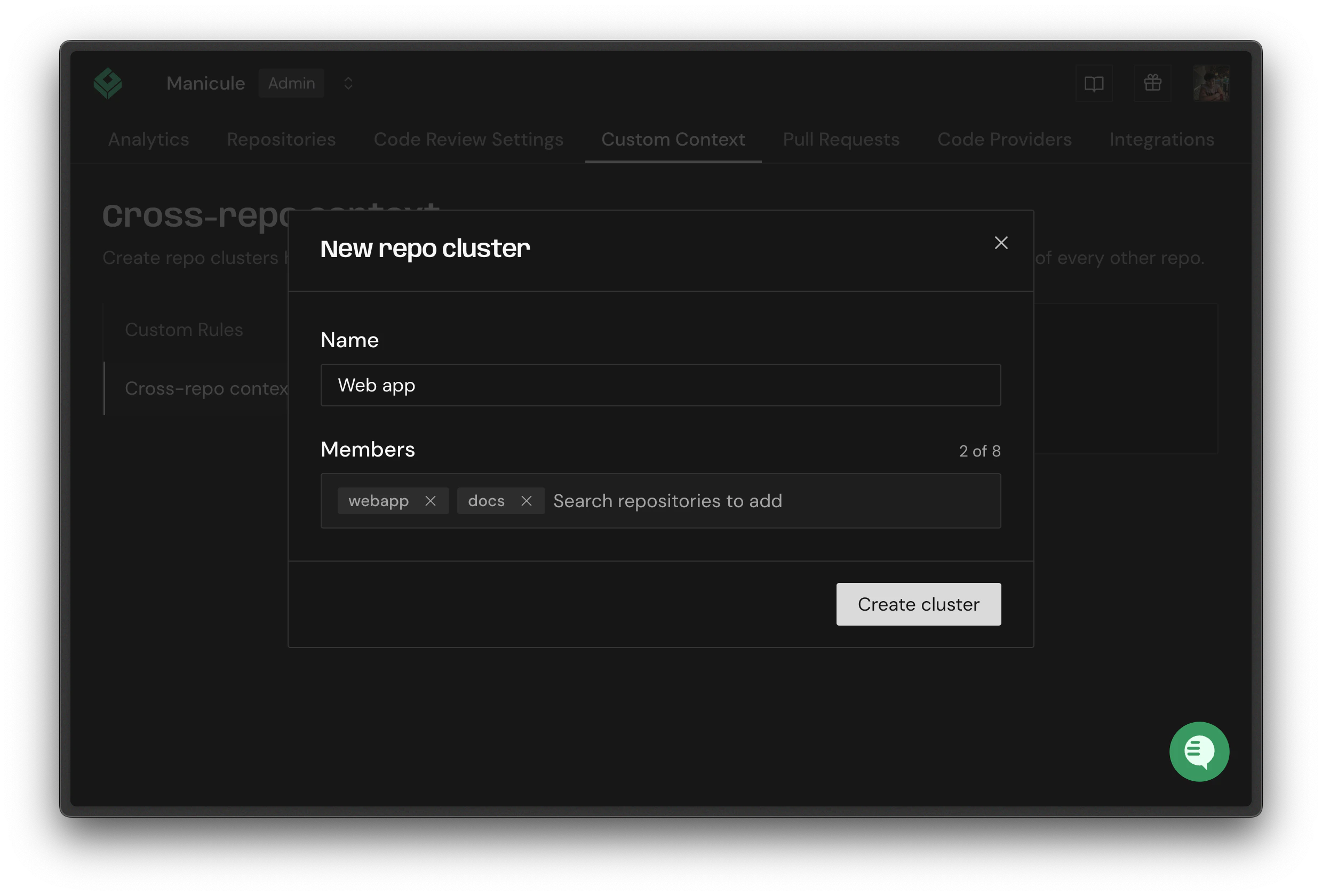 Give the cluster a name.
Add between 2 and 8 repositories.
A repository can belong to only one cluster at a time. If a repo is already claimed, you'll see which cluster it's in when you search for it.
### Suggested clusters
Greptile suggests clusters for you based on shared contributors, meaning repositories the same people have committed to over the last 90 days. Suggestions appear with a confidence indicator; click **Use this** to create the cluster, or **Discard** to dismiss it.
### How clusters affect reviews
When Greptile reviews a PR in a clustered repo, it clones the other members read-only and makes them available to the reviewer, exactly like `context.repos`. Across both sources, Greptile reads up to **7** related repositories per review, and repos listed explicitly in `context.repos` take priority.
Give the cluster a name.
Add between 2 and 8 repositories.
A repository can belong to only one cluster at a time. If a repo is already claimed, you'll see which cluster it's in when you search for it.
### Suggested clusters
Greptile suggests clusters for you based on shared contributors, meaning repositories the same people have committed to over the last 90 days. Suggestions appear with a confidence indicator; click **Use this** to create the cluster, or **Discard** to dismiss it.
### How clusters affect reviews
When Greptile reviews a PR in a clustered repo, it clones the other members read-only and makes them available to the reviewer, exactly like `context.repos`. Across both sources, Greptile reads up to **7** related repositories per review, and repos listed explicitly in `context.repos` take priority.